
mirror of
https://github.com/ocornut/imgui.git
synced 2026-11-10 19:03:30 +00:00
example_emscripten_wgpu not rendering / black screen #4650
Labels
No labels
accidentally closed
android
backends
bug
building
clipper
coloredit
color spaces
cplusplus
data types
demo
disabled
doc
docking
dpi
drag drop
drawing/drawlist
dropped
dx12
enhancement
focus
font/text
gallery
help wanted
idle/power saving
ime
in progress
inputs
inputtext
internals
label/id and id stack
language bindings
layout
linux/bsd
menus
multi-contexts
multi-threading
multi-viewports
nav
news/info
opengl
optimization
osx/ios
overlap
plot/graph
popups
question
scrolling
selection
settings
sliders/drags
style
tables/columns
tabs
test wanted
tools
tooltips
tree
tricks & tips
useful widgets
vulkan
web
window pos/depth
window sizing
No milestone
No assignees
1 participant

Notifications
Due date
No due date set.
Dependencies
No dependencies set.
Reference
ocornut/imgui#4650
Loading…
Add table
Add a link
Reference in a new issue
No description provided.
Delete branch "%!s()"
Deleting a branch is permanent. Although the deleted branch may continue to exist for a short time before it actually gets removed, it CANNOT be undone in most cases. Continue?
Hi,
I was really excited to find imgui and emscripten however I seem to be falling at the first hurdle. I'm trying the example (example_emscripten_wgpu) as is and everything compiles and runs but all I get in the browser is a black screen.
successful build:
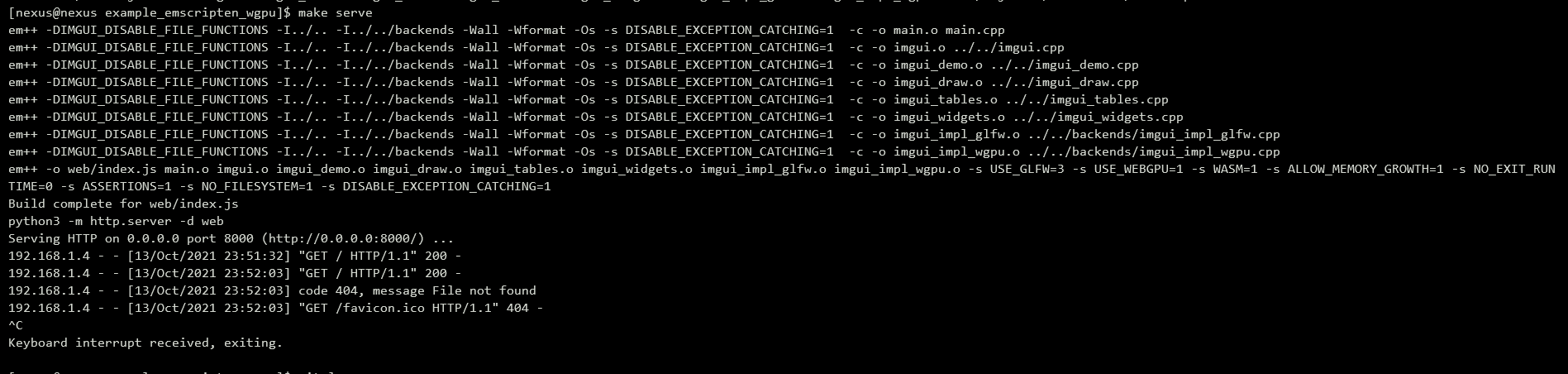
git log (current version from gitlab)

FYI, emscripten environment seems sane / working:

Here's what I see in the browser:
Any hints / tips appreciated!
Are you using a browser that supports wgpu and which has it enabled?
@ocornut Good point! I'd somewhat naively assumed this was 'out of the box' technology, currently supported by modern browsers. D'oh!
FYI, I'm using a stock firefox (v93.0), not nightly. It wasn't enabled in config but when I enabled it, it didn't seem to make a difference.
To try something else, I've switched to the opengl3 example (example_emscripten_opengl3). This appears to work succesfully in edge (Yey!) so I now have something awesome to play with. Firefox still isn't working (same blank screen with the opengl example) so there is likely something funky with firefox. If I work out what, I'll post back here but please feel free to close this, as I doubt it's a bug in imgui.
WGPU has been such a moving api lately (with recent patches by contributors to catch up) that I would presume you need nightly.
Hi, thanks. :) I'd googled this based on your earlier reply and found this page: https://hacks.mozilla.org/2020/04/experimental-webgpu-in-firefox/. The config items were available in my FF but I'm going to assume nightly too. I'm looking for something which would work in the browser for others, without needing to get custom versions to set config items so it seemed sensible to switch to the other example and start trying to understand that instead.
Any idea why the opengl example might work in edge but not firefox? It's the same blank screen and no hints / errors in the browser console window. Looks like everything 'should' be working so I'm still puzzled.
Look at the debug console of the browser and make sure you are hosting the files via a web server rather than directly from file system (as specified in readme). There are various restrictions when hosting from file system.
Yey, I've tracked it down. Turns out, firefox doesn't support gamepads over untrusted connections (http).
Starting with Firefox 81, the Gamepad API will be restricted to what are known as “ secure contexts ” (bug 1591329). Basically, this means that Gamepad API will only work on sites served as “https://”. But don’t worry, it also works on http://localhost too while you are debugging!
I'm using v93.0 and that seems to die during the load. You can see it in the console as "Error: Gamepads not supported".
Using https instead of http worked fine in Firefox.
A simple and dirty (python2) way of bringing up a https endpoint instead of http is in this gist: https://gist.github.com/dergachev/7028596
https://github.com/ocornut/imgui/pull/4662
Is there a way to entirely disable gamepads so I can host my program on http? I have an https server but just so it's easier for others to host.